
Installing the drive (ST400, ST300)
This guide applies to the ST300, the ST400 and the LK100. These models share the same exterior design and take a 2.5-inch HDD or SSD with a height of 7 mm. Refer to the images and follow the steps carefully.
What you need
- An IODD ST400 or ST300
- A 2.5-inch SATA HDD or SSD, 7 mm high
Opening the enclosure
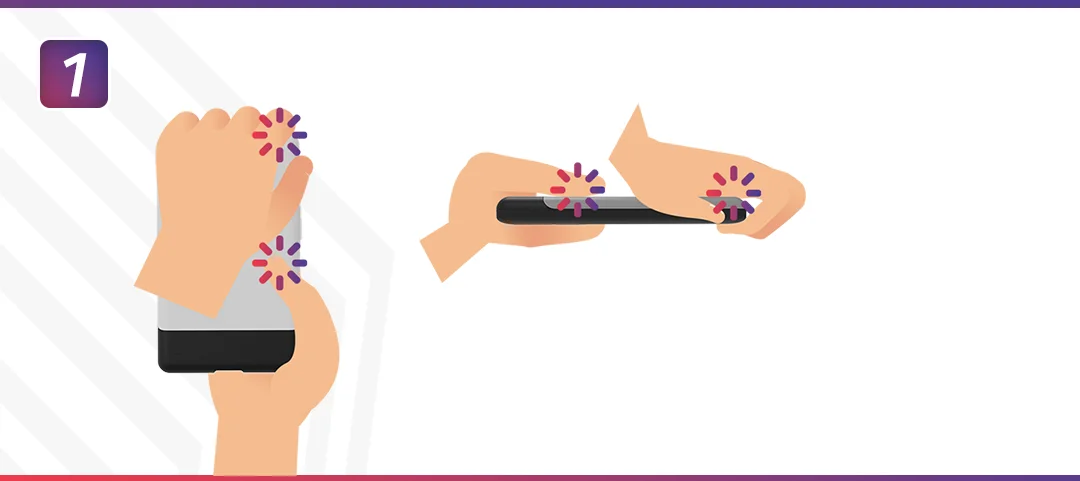
- Hold the main body of the IODD and the rear cover as shown in the picture. White is the rear cover, black is the main body.
Warning
Do not press the cover inward with force; this can damage the device. Push strictly in the direction of the guide.
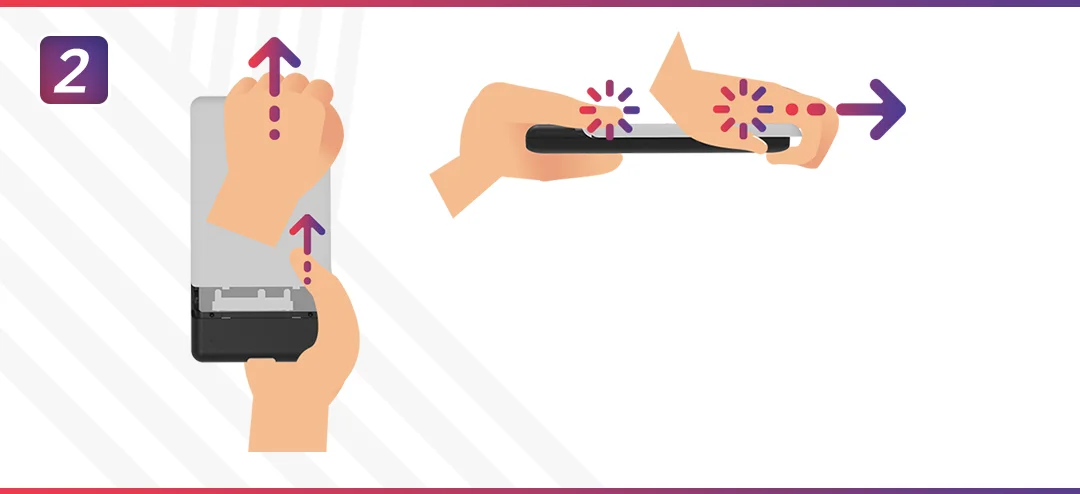
- Hold the main body firmly in place and slide the rear cover in the direction of the arrow.
- Push the cover all the way until it comes off completely.
Note
The joint may feel tight at first. It becomes smoother with repeated use.
Inserting the drive
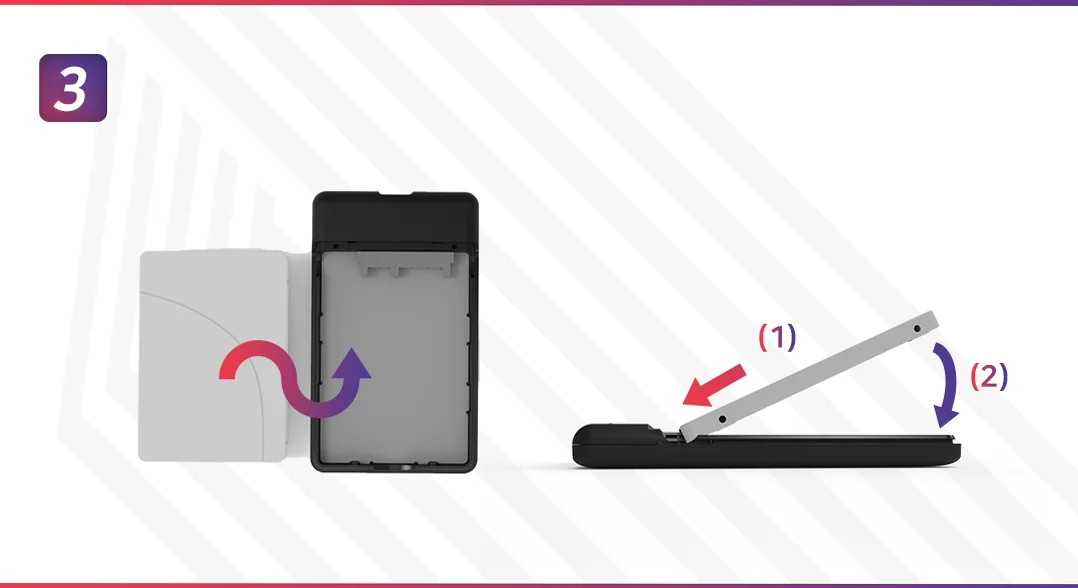
- Connect the side with the SATA port first. Make sure it is aligned correctly.
- Seat the drive securely in the main body.
Closing the enclosure
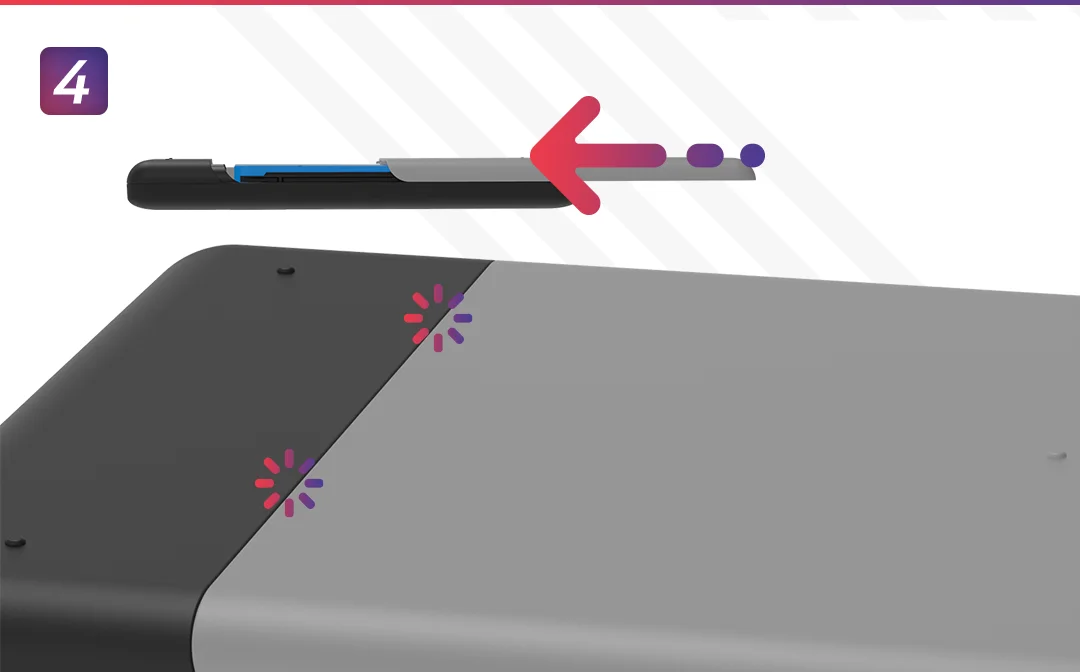
- Slide the cover back on until you hear a click.
- Check that the latch at the rear is properly engaged and that the cover is flush with the main body.
How to tell it worked
The latch is engaged and the cover is flush with the main body.
Checking the connection on Linux
After assembly, you can check whether the drive is physically detected:
# Verify the physical disk connection
lsblk -d | grep -i "iodd"
After the installation
When the hardware is ready, the drive must be initialized first: follow Initializing the drive. That guide also gives the order to follow if you want to encrypt.
- Using encryption: see Setting up encryption: overview. The ST300 has no encryption.
- Using virtual drives: see Preparing the drive for virtual drives.
- Using both together: complete the encryption settings first, then set up the bootable virtual drives.
Not solved? Tell us your model and the message on the display. Go to contact form
Translation of the official IODD guide, checked against the original on 23 November 2026.
If they differ, the original English page applies: Disk Assembly [ST/LK] (new window)