
Managing users
The administrator can set up to four user passwords and manage each user's access to the encrypted drive. Each user profile has rights of its own.
Note
The ST300 has no encryption.
Note
Menu names are given here as the device shows them in English. From firmware 0.8.1.2 onwards, the device can also display German and French; the names then differ.
What you need
- The admin password is set. See Setting the admin password.
- A password for each user you want to set up, with up to 37 digits.
Logging in as administrator
-
Open the menu and go to
Encryption(encryption) →User(user).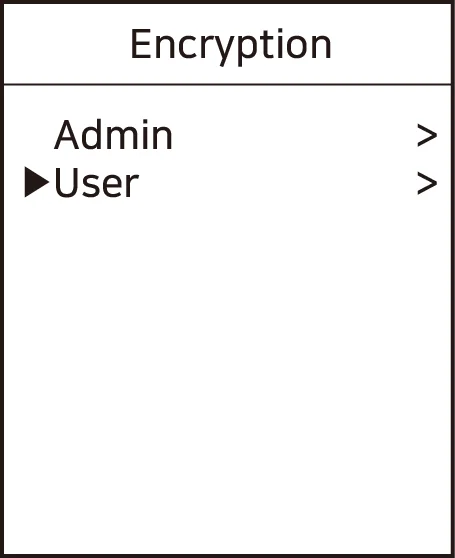
The user settings are in the menu EncryptionunderUser. -
Enter 0 followed by the admin password. The prefix 0 marks the input as the administrator's login.
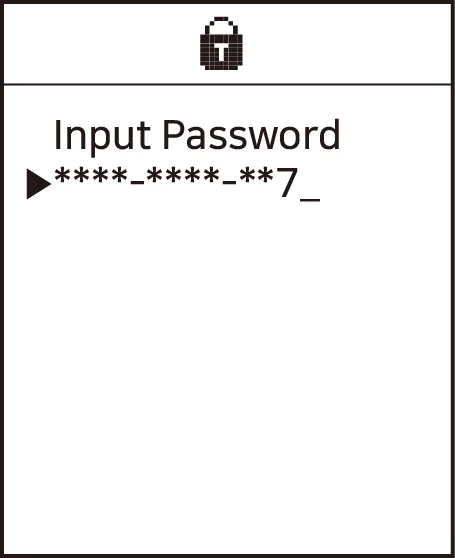
The prompt Input Password(enter password). Example: 0 followed by the admin password. -
Select the user you want to manage,
User-1toUser-4.
The menu Userwith the four usersUser-1toUser-4and the entrySave Users(save users).
Setting rights and a password
-
Set the options you want and set a password for the selected user with
Set Password(set password).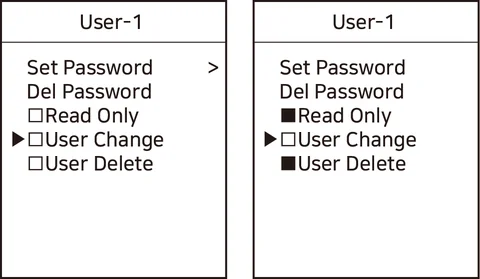
The menu User-1withSet Password,Del Password(delete password) and the optionsRead Only,User ChangeandUser Delete. Left, no option is ticked; right,Read OnlyandUser Deleteare ticked.
The options mean:
-
Read Only(read-only): The user can open files but cannot write, change or delete data on the drive. -
User Change: The user may change their own password without the administrator. -
User Delete: The user may delete their own account and password from the device.
Saving the changes
Caution
You must select Save Users for the changes to take effect. If you leave the menu without saving, all changes are discarded.
-
Select
Save Users.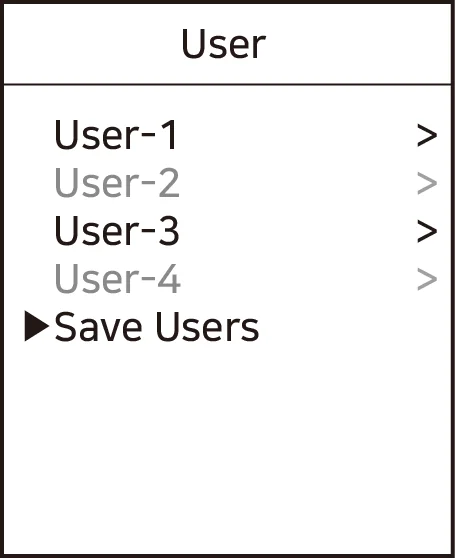
The menu UserwithSave Users(save users) selected.
How to tell it worked
The user logs in with their identification digit followed by their password, as described in the next section.
Login codes for users 1 to 4
To log in as a particular user, put the user's identification digit in front of the password. The code is the identification digit (1 to 4) followed by the user password of up to 37 digits.
- If user 1 sets the password
55447788, the login code is155447788. - If user 4 sets the password
55447788, the login code is455447788.
User 4 and the Duress PIN
With suitable firmware on the ST400 and MINI PRO, the PIN of user 4 can serve as the Duress PIN. The PC then sees only a prepared vhd4.vhd volume. See Duress PIN.
What users can change themselves
The encryption menus available to users 1 to 4 are described in User menu (users 1 to 4).
Not solved? Tell us your model and the message on the display. Go to contact form
Translation of the official IODD guide, checked against the original on 23 November 2026.
If they differ, the original English page applies: User Management (new window)